

Practice Circles · Practice Circles · Learners
Self-check before and after
Updated 20 Nov 2026
This guide helps learners answer the self-check at the start of the season and again in week 7.
Before you start
- "Before" is open until the end of week 1. "After" is open in week 7.
Steps
- In your village, scroll to Self-check.
- Read each of the 8 questions. Pick a number from 1 to 5: 1 = not yet, 5 = I can do this and teach it.
- Tap Save my answers. You see "Thanks, your answers are saved. You can change them until the end of week 1."
- To change an answer in weeks 0–1, pick a new number and tap Save changes.
- In week 7, answer the same 8 questions again and tap Save my answers.
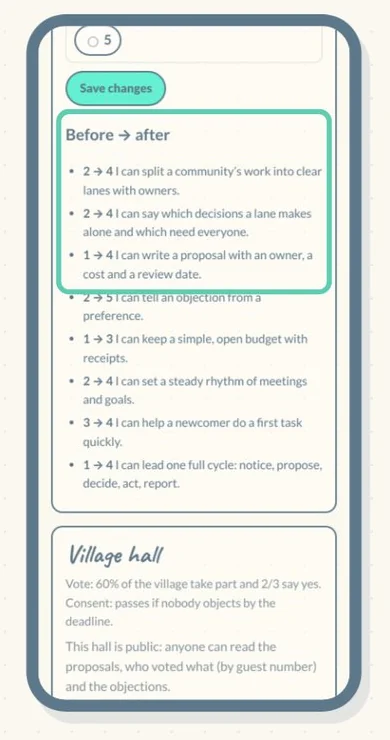
- Read Before → after to see how far you came, for example "2 → 4".
Good to know
- Only you see your answers.
- The team sees only averages, and only when 3 or more people answered, so nobody's answer can be guessed.
- Between week 2 and week 6 the section says "Your “before” answers are saved. The self-check opens again in week 7."
- The questions may appear in your language if the team has translated them.
If something goes wrong
- "Answer all 8 questions with a number from 1 to 5."
- "This self-check isn’t open now" — it is closed between week 2 and week 6.
- No Self-check section at all: it shows only to village members, while it is open or after you answered.