

For organisations & sponsors
The For organisations page
Updated 20 Nov 2026
This guide helps organisations and sponsors learn how Kambria Circles works for them and get in touch.
Steps
- Open circles.kambria.io/partners.html, or the ☰ menu → For organisations. On a computer, For organisations is also in the bar at the top. In the menu, the Organisations & sponsors part also has Sponsor a house, Sponsor a local challenge and A village for your group: each opens the matching part of this page.
- Read the three circles: Open Circles (your project gets a house with small tasks), Local Circles (people nearby take on one numbered goal together) and Practice Circles (an 8-week season where a small village learns to run itself). Each has a link, for example See the street.
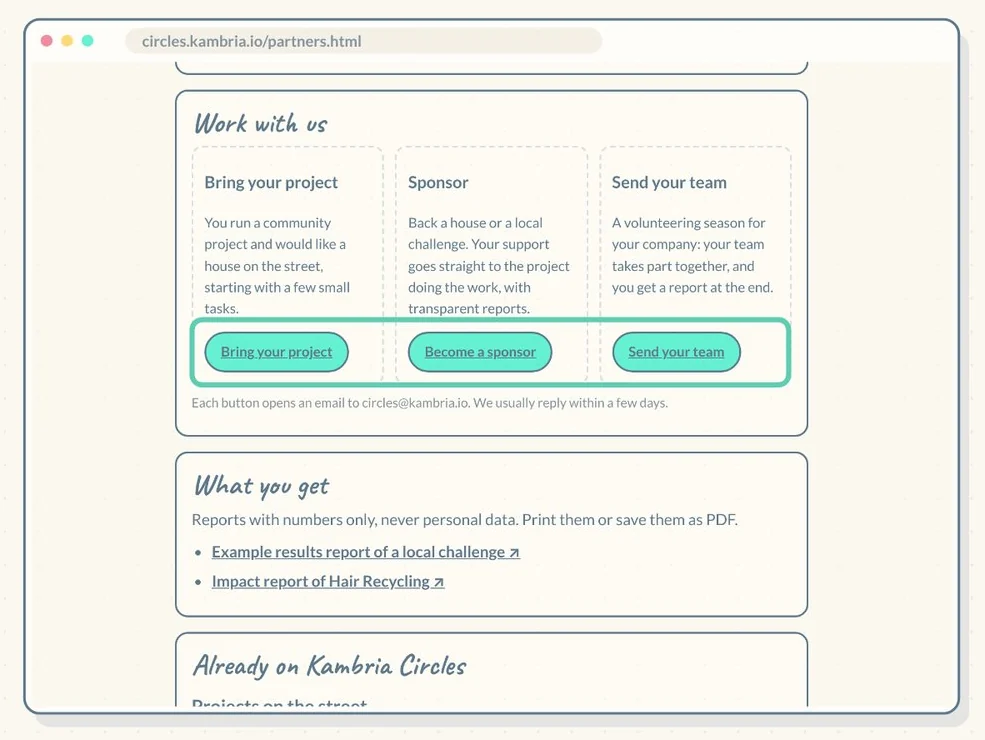
- Under Work with us, choose the button that fits you: Bring your project (you run a community project and would like a house on the street), Become a sponsor (back a house or a local challenge) or Send your team (a volunteering season for your company).
- The button opens an email to circles@kambria.io with a ready subject, or a short form, depending on what the team has set. Write a few lines about you and send it. The team usually replies within a few days.
- Under What you get, open the Example results report of a local challenge ↗ or the Impact report of … ↗ of a house on the street.
- Under Already on Kambria Circles, see the Projects on the street and the Sponsors.
Good to know
- Sponsors support the organisation doing the work directly. Kambria Circles does not take payments on the site.
- Reports show numbers only, never personal data, and can be printed or saved as PDF.
- The sponsors list shows names and small logos, never amounts.
If something goes wrong
- The button doesn't open an email: your device may have no email app. Write to circles@kambria.io yourself.
- The form doesn't open: allow new tabs or pop-ups for circles.kambria.io.