

Open Circles · Admins
Add a house
Updated 20 Nov 2026
This guide helps admins add a new project house to the street and switch it on.
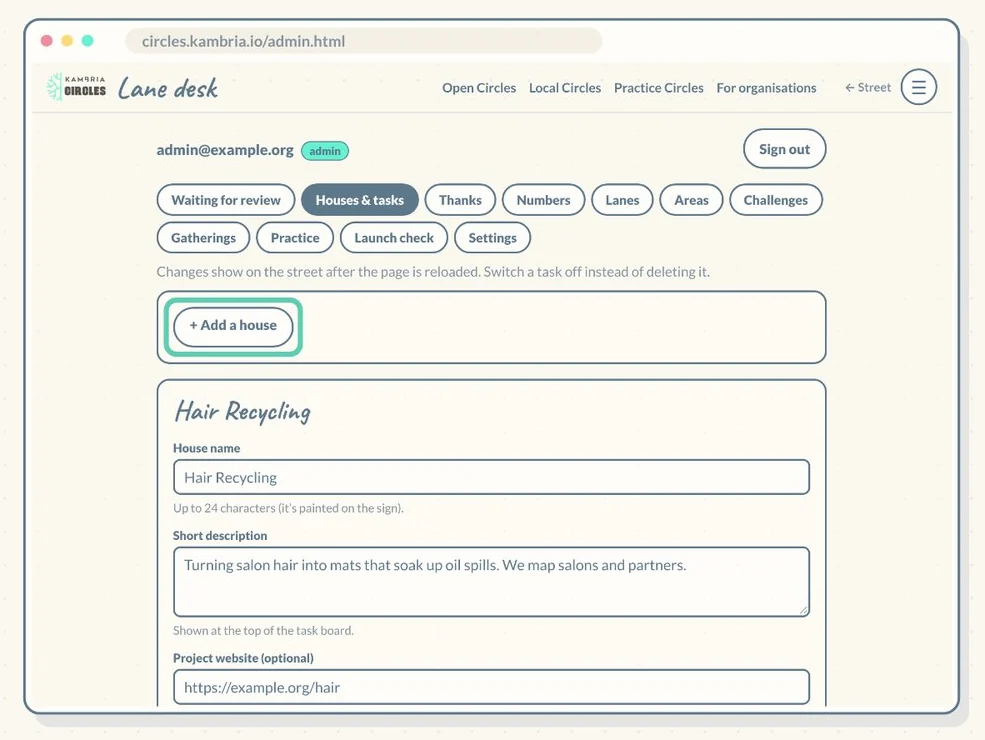
Before you start
- You need to be signed in to the Lane desk as an admin.
- The street has room for 12 houses.
Steps
- Open Houses & tasks and tap + Add a house.
- Type the House name (up to 24 characters, painted on the sign).
- Check the Short link. It fills in from the name, for example green-library, and gives the address /#house/green-library.
- Choose a Place on the street: a free place, marked (new, at the end of the street) or (one of the first three).
- Choose a Roof colour, then tap Add house. You see Added ✓.
- The new house appears in the list, switched off. Fill in its description, website and look (see "Edit your house"), and add 3–5 tasks (see "Add and edit tasks").
- Add a lane for the house (see "Add and remove lanes").
- When it's ready, tick House is open on the street and tap Save house.
- Reload the street: the street gets longer on the right, and the new house appears in the row of house buttons.
Good to know
- New houses use the shared drawing (roof, wall, two things in front of the door, a small board). Hair Recycling, Spring to Harvest and Inua Mama keep their own drawing, wherever they stand on the street.
- Tasks that lanes add start as drafts. Read them, then tick Open (shown on the board) and tap Save task to put them on the board.
- To take a house off the street, untick House is open on the street. Its lanes, tasks and lanterns stay. In the Lanes list it shows as (hidden).
- Admins can change any house's roof colour; lanes can only change the look of the new houses.
If something goes wrong
- The house needs a name. / The name is too long (max 24 characters).
- The short link uses lower-case letters, numbers and dashes, e.g. green-library.
- That short link or place on the street is already taken. Choose another.
- The street is full (12 houses). Switch a house off or reuse its place.
- Pick a roof colour.