

Open Circles · Guests & contributors
Choose a language on the street
Updated 20 Nov 2026
This guide helps guests read the houses and tasks in another language.
Steps
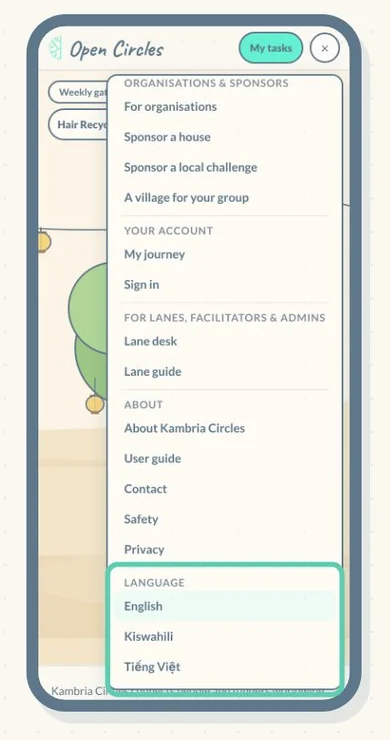
- Open the ☰ menu at the top of any page.
- Under Language, tap your language, for example Kiswahili. Tap English to go back.
- The street reloads. House names, the row of house buttons, task boards, the invitation card, My tasks and My journey now show the projects' translations.
Good to know
- The Language list appears only after the Circles team opens a language besides English.
- Projects translate their own house and tasks: the name, description, task title, What to do, Steps and Done when. Buttons and menus stay in English for now.
- Where a translation is missing, you see the English.
- There is no machine translation on the site: every translation is written by people.
- The first time you visit, the street follows your browser's language once, if it is one of the open languages. You can change it in the menu at any time.
If something goes wrong
- No Language in the menu: only English is open so far.
- Part of a board is still in English: the project has not translated that part yet.