

Open Circles · Guests & contributors
Bigger tasks with steps
Updated 20 Nov 2026
This guide helps contributors take a bigger task with several steps and earn a big lantern.
Before you start
- Most bigger tasks open only after you have a lantern (one confirmed small task). The project decides how many lanterns are needed; some bigger tasks are open to everyone.
Steps
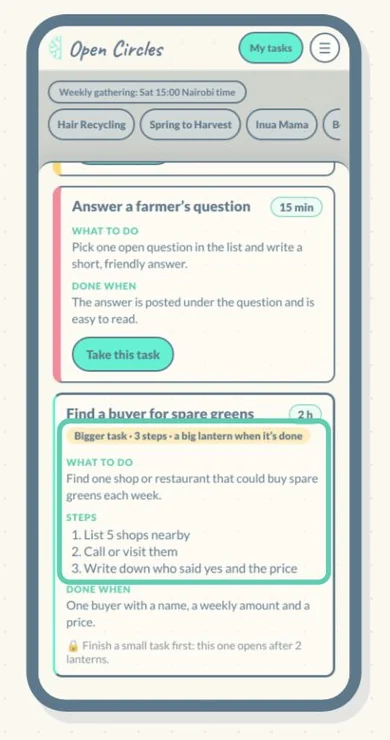
- Open a house. A bigger task has the tag Bigger task · 3 steps · a big lantern when it’s done and a longer time, for example 2 h.
- Read What to do, the list of Steps and Done when.
- If you see 🔒 Finish a small task first: this one opens after 1 lantern., finish a small task first and come back.
- Otherwise tap Take this task.
- Open My tasks. The task shows Steps · 0 of 3 done with a tick box for each step.
- Tick each step as you finish it. Your ticks are saved, even if you close the page.
- When all the work is done, add your link or note and tap Submit once, at the end.
- When the lane confirms it, a big lantern goes up on the thank-you tree. Tapping it shows Big lantern · Guest ….
Good to know
- A bigger task takes from 31 minutes to 4 hours and has 2 to 5 steps.
- Ticking steps is optional and only for you; the lane checks the work you send against "Done when".
- A bigger task counts towards your 2 tasks to finish while it is Taken or Returned. Once you send it and it is Waiting for the lane, it no longer counts.
- Small tasks work as before: 5–30 minutes, no steps.
If something goes wrong
- This bigger task opens after you finish a small task. Pick a small one first. You don't have enough lanterns yet.
- A tick goes back after you tap it: the change was not saved (for example you are offline). Try again when you are online.