

Practice Circles · Practice Circles · Learners
Notify me for Season 1
Updated 20 Nov 2026
This guide helps learners leave their email to get one message when Season 1 opens, and remove it later.
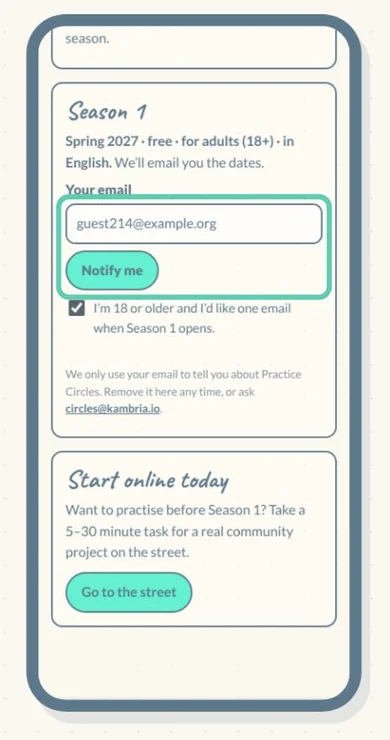
Before you start
- You must be 18 or older.
- This box shows only while no season is open for sign-ups. When sign-ups open, it becomes a Join button (see "Join a season and a village").
Steps
- Open the Practice Circles page.
- Tap Notify me when Season 1 opens at the top, or scroll down to the Season 1 box.
- Type your email under Your email.
- Tick I’m 18 or older and I’d like one email when Season 1 opens.
- Tap Notify me. If a short "are you a person?" check appears, complete it.
- You see "You’re on the list: (your email). We’ll email you when Season 1 opens."
To remove your email:
- Open the Practice Circles page again on the same browser.
- Tap Remove my email (if you added more than one: Remove followed by the email).
- You see "Removed. We no longer keep that email."
Good to know
- We send one email when Season 1 opens. We use the address for nothing else.
- Only the Circles admins can read the list. Nobody else sees your email.
- You can see and remove an email only on the browser where you added it. On another device, write to circles@kambria.io.
- One browser can add up to 3 emails.
If something goes wrong
- "Type your email first." The email box is empty.
- "That email doesn’t look right." Check for typing mistakes.
- "Practice Circles is for adults (18 and over). Please tick the box." Tick the 18+ box.
- "This browser has already added 3 emails. Email circles@kambria.io if you need another."
- "You seem to be offline. Please try again when you’re back online."
- "Notify me isn’t available right now." Try again later.