

Practice Circles · Practice Circles · Admins
Practice self-check questions
Updated 20 Nov 2026
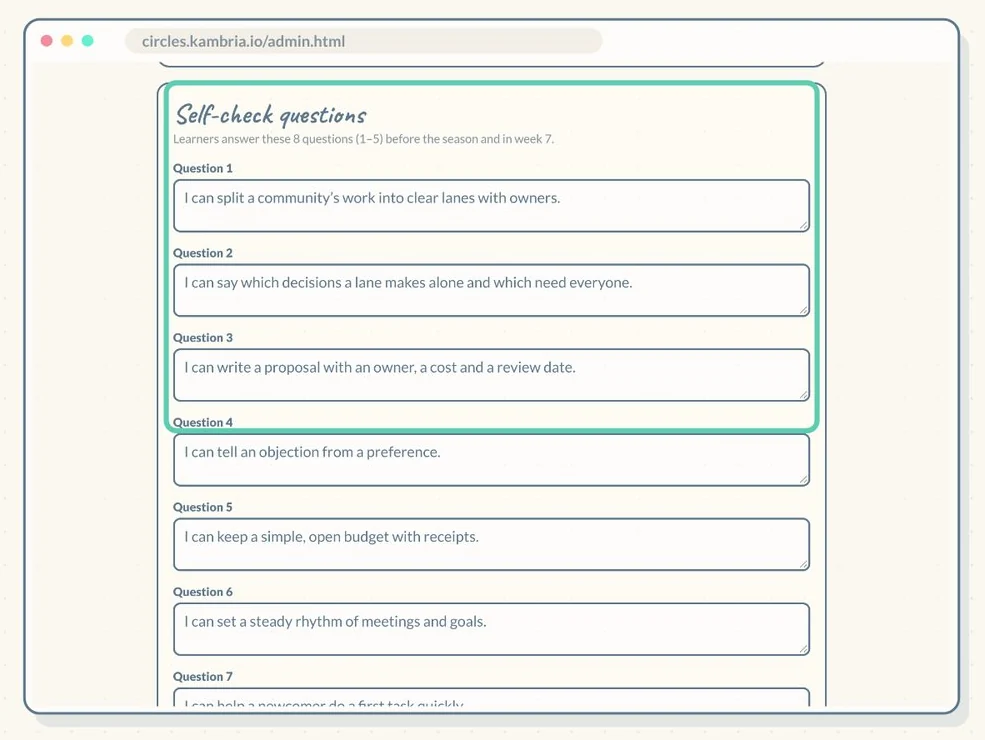
This guide helps admins write the 8 self-check questions learners answer before and after the season.
Steps
- On the lane desk, tap Practice and scroll to Self-check questions.
- Read each Question 1 to Question 8. "(draft)" marks a question nobody has saved yet.
- Type or paste the final question text.
- Tap Save questions. The "(draft)" labels go away.
- Open a village page as a member to check how the questions look.
Good to know
- Learners answer each question from 1 (not yet) to 5 (I can do this and teach it): "before" until the end of week 1 and "after" in week 7.
- Change the questions before a season starts, so "before" and "after" answers are about the same thing.
- Each question needs 5–200 characters.
- Only the learner sees their answers. Admins and facilitators see averages from 3 or more people.
- You can translate each question in the Translations · Question … box under the card.
If something goes wrong
- "Question 3: 5–200 characters." Make that question longer or shorter.
- "Couldn’t save. Please try again."