

Practice Circles · Practice Circles · Learners
My artifacts folder
Updated 20 Nov 2026
This guide helps learners keep track of the document they make each week for their own community.
Before you start
- Your folder opens on the first day of the season.
- Make each document in your own Google Drive (or another place) and share it as "Anyone with the link can view".
Steps
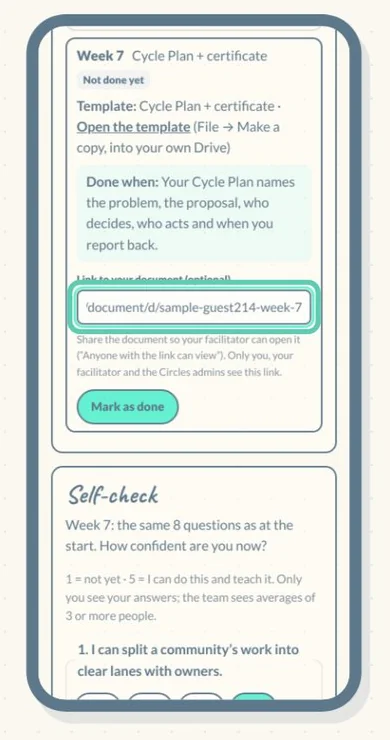
- In your village, scroll to My artifacts. You see "… of 8 done" and one row per week.
- Open this week's row. Tap Open the template, then File → Make a copy, into your own Drive.
- Fill in your copy for your real community. Check the Done when: line.
- Paste your document's link in Link to your document (optional).
- Tap Mark as done. The row shows "Done · (date)".
- Later, to change the link, paste the new one and tap Save the link. To undo, tap Mark as not done.
- When your facilitator has looked at it, the row shows "Seen by your facilitator ✓" and their short note.
Good to know
- The website keeps only the link you paste and the date you marked it done. It never keeps your document.
- Only you, your facilitator and the Circles admins see your link. Other villagers and visitors never see it, even in an open village.
- Changing the link removes "Seen": your facilitator looks again.
- Future weeks show only their name and "Opens in week …".
- Your folder follows you if an admin moves you to another village.
- To get a certificate, the week 7 Cycle Plan must be marked done.
If something goes wrong
- "The link must start with https:// (for example a Google Doc you shared)."
- "This week’s artifact opens when the week starts."
- Your facilitator can't open the document: in Google Docs, choose Share → "Anyone with the link" → Viewer.