

Practice Circles · Practice Circles · Admins
Season villages and moving people
Updated 20 Nov 2026
This guide helps admins check each village, choose its facilitator, move people and handle certificates.
Steps
- On the lane desk, tap Practice and scroll to the season's card.
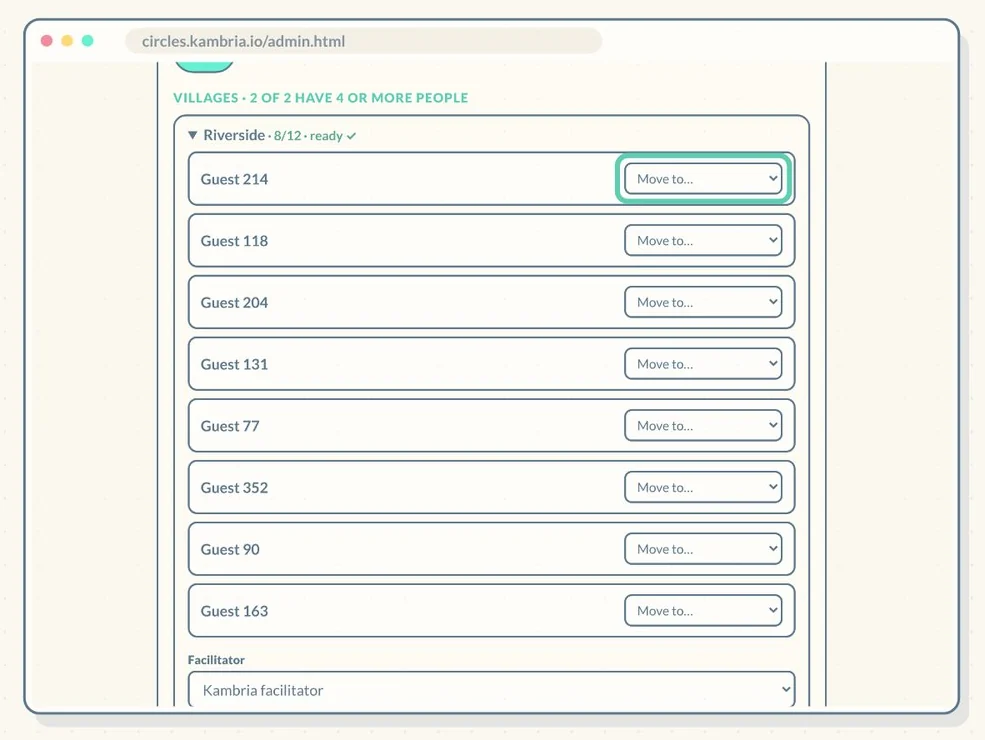
- Read Villages · … of … have 4 or more people. Each village line shows its name (team villages with their code), people out of 12, and what is missing: "… more people needed", "no facilitator", "no Discord link", or "ready ✓".
- Tap a village to open it. People show as guest numbers.
- To move someone, pick a village in Move to… next to their guest number and confirm. Tell them on Discord: the site doesn't email them.
- Choose a Facilitator and tap Save facilitator.
- Paste the Village channel on Discord link and tap Save link.
- Tap Open the village page and its hall to see the village. To moderate the hall, also sign in on My account with your admin email.
- Tap Artifacts: who has done which week to see each person's folder, mark weeks Seen ✓ and issue certificates, like a facilitator.
- To revoke a certificate issued by mistake, open the person in Artifacts, tap Revoke and confirm.
Good to know
- You never see emails here, only guest numbers.
- People can be moved only to another village of the same season, never above 12 people. A village left empty is removed.
- An organisation's village shows the organisation's name after the village name, and its own number of places, for example 6/10 (see "Create a village for an organisation").
- Their artifact folder follows them to the new village.
- A revoked certificate shows "not available" to everyone. If it is issued again later, it keeps the same code.
- Lanes are fixed after week 1, and nobody can change them. Once the season has started, learners can’t leave their village themselves: they tell their facilitator, who asks you to move them (Move to…).
If something goes wrong
- "That village already has 12 people."
- "Pick another village of the same season."
- "This person is no longer in that village. Reload the page."
- "Use a Discord link (https://discord.gg/… or https://discord.com/…)."
- "Only the Circles admins can revoke a certificate."