

Local Circles · Local · Neighbours
Read Local Circles in your language
Updated 20 Nov 2026
This guide helps neighbours see Local Circles content in their own language, where the team has translated it.
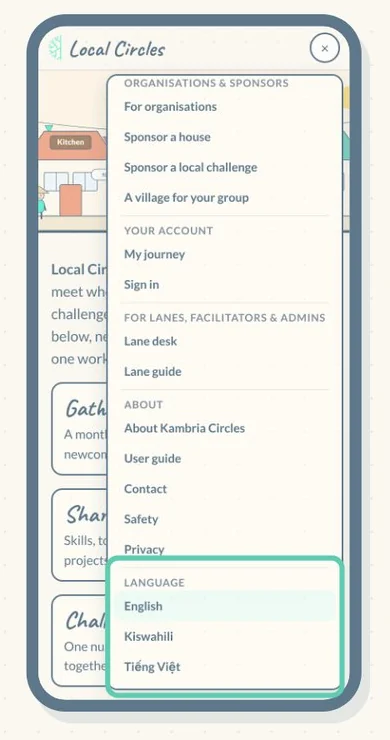
Steps
- Open any Local page, for example circles.kambria.io/local.html.
- Tap ☰ Menu.
- Under Language, tap your language (for example Kiswahili). Tap English to go back.
- The page reloads. Translated parts now show in your language.
What changes
- Area names in Count me in and Where people are.
- Challenge titles, units, ring names, what each ring does and Needs now.
- Gathering titles, places and descriptions.
- The same words on the results report.
Good to know
- The Language list only appears once the team has opened a language besides English.
- On your first visit, the site may switch to your browser’s language by itself, if it is one of the open languages.
- Where something is not translated yet, you see the English.
- Buttons, menus, numbers, the shared fund and the Meeting safely reminder stay in English for now.
- There is no machine translation: people on the team write every translation.
If something goes wrong
- No Language in the menu: no language is open yet. The site is English only for now.
- Part of the page is still English: that part has no translation yet. You can tell the team at circles@kambria.io.