

Open Circles · Lanes (project leads)
Add and edit tasks
Updated 20 Nov 2026
This guide helps lanes add new tasks to their board, change tasks, and take tasks off the board.
Steps
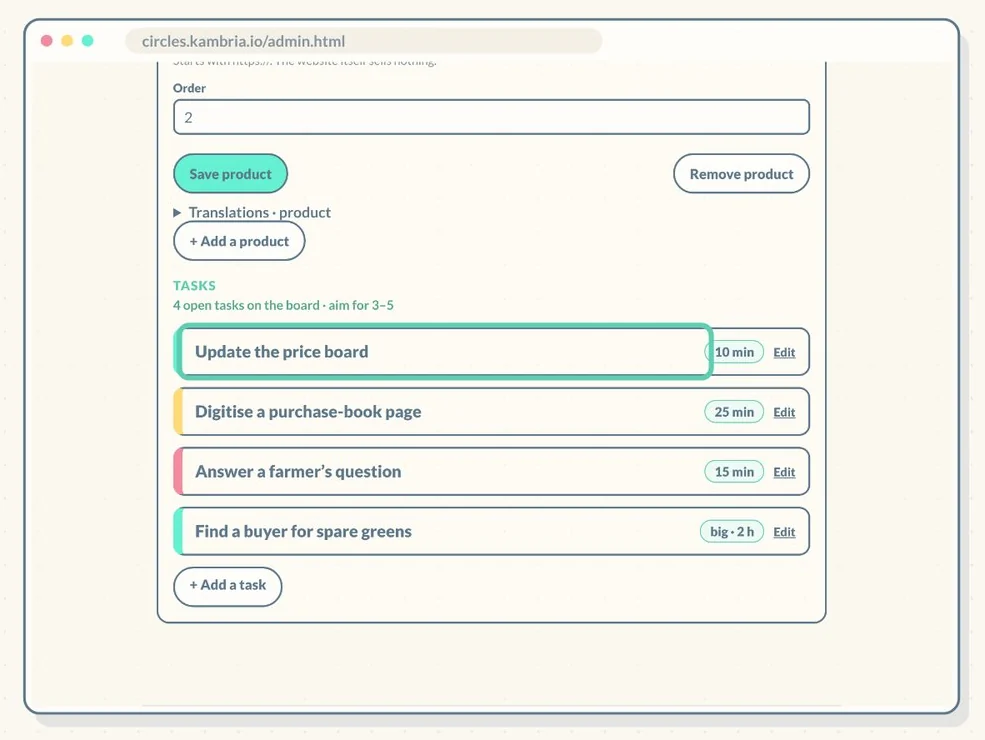
- In Houses & tasks, look under Tasks. A line says, for example, 4 open tasks on the board · aim for 3–5 (red when you have fewer than 3 or more than 5).
- To change a task, tap Edit next to it, or tap its title. The form opens, and Edit changes to Close. Change the fields, then tap Save task. You see Saved ✓.
- To add a task, tap + Add a task.
- Fill in Title (up to 40 characters).
- In Kind of task, choose Small task (5–30 minutes) or Bigger task (31 minutes – 4 hours, with steps).
- Fill in Minutes (the time for someone new) and Order on the board (smaller numbers show first).
- Fill in What to do, with links to the sheet or document they need.
- For a bigger task, write Steps (2–5, one per line) and Lanterns needed first (1 = they finished one small task, 0 = anyone).
- Fill in Done when: how you will check the work. It is required.
- Tap Add task. You see Added ✓, and + Add another task appears.
Good to know
- New tasks start as drafts: Open (shown on the board) is off and locked, with the note "New tasks start as drafts. The Open Circles team reads them and switches them on." Only the Open Circles team (admins) can switch a task on.
- To take a task off the board, untick Open (shown on the board) and tap Save task. You can always switch your own task off. Once it is off, the box is locked with the note "This task is off. Only the Open Circles team switches a task on: ask them when it’s ready." Don't delete tasks: guests who already took one still need it. Tasks that are off show off in the list.
- The board shows up to 5 open tasks.
- A good "Done when" names a result you can see and can be checked in 1 to 2 minutes, for example "All three prices on the board match the sheet for today."
- Tasks are for adults only. Don't ask for voice recordings, data about children, or personal details. Never ask a guest to meet in person or move to a private chat.
If something goes wrong
- The task needs a title. / The title is too long (max 40 characters).
- Minutes must be a whole number from 5 to 30. / A bigger task takes 31 to 240 minutes (up to 4 hours).
- A bigger task has 2 to 5 steps, one per line. / Each step is one sentence of 3 to 120 characters.
- Lanterns needed must be a number from 0 to 20. / Order must be a number from 1 to 99.
- “Done when” is required: it’s how you’ll check the work.
- You don’t have permission to change this task.
- Only the Open Circles team switches a task on. Save it with Open off and ask them. Untick Open, tap Save task, and ask the team to switch it on.