

For organisations & sponsors
Local · Become a challenge sponsor
Updated 20 Nov 2026
This guide helps organisations get in touch to sponsor a local challenge.
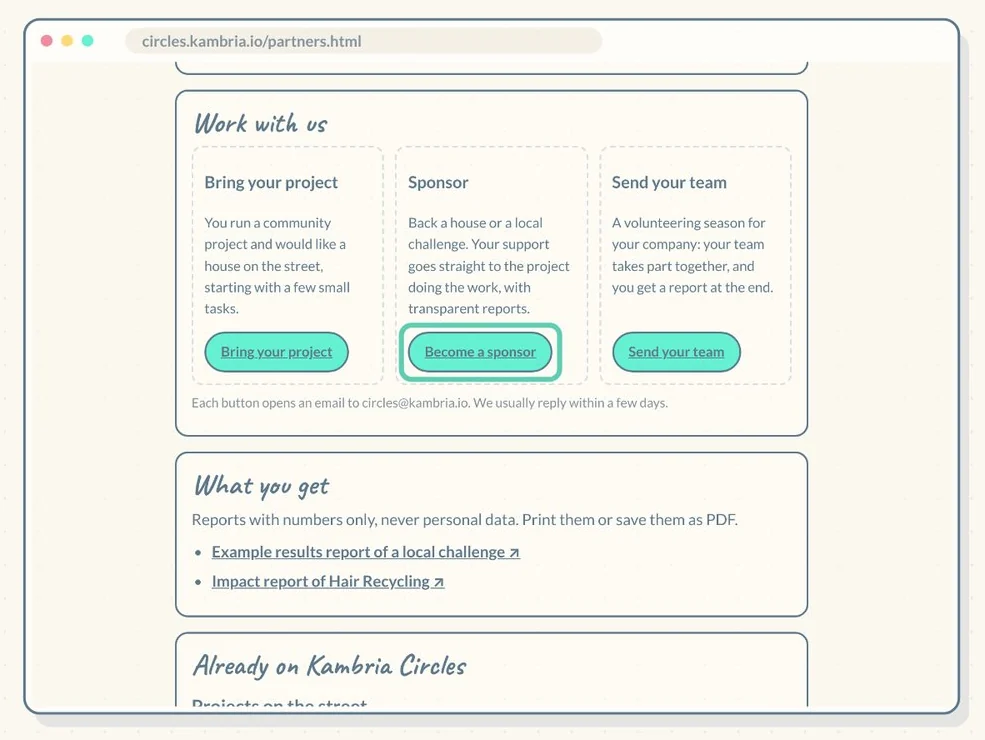
Steps
- Open circles.kambria.io/partners.html, or tap ☰ Menu → For organisations.
- Read Local Circles: people who live near each other take on one numbered goal together; "the shared fund shows every amount with its receipt, and the results report is ready to print."
- Under What you get, tap Example results report of a local challenge ↗ to see a report.
- Under Work with us, find Sponsor and tap Become a sponsor.
- An email or a short form opens (the page says which). Tell us which area or challenge you want to back.
- The Circles team usually replies within a few days.
- After you agree, an admin adds your name, logo and website to the challenge (see "How sponsors show on a challenge").
Good to know
- Your support goes straight to the organisation doing the work. The website never takes payments.
- Reports show numbers only, never personal data. Print them or save them as PDF.
- What you write in the email or form is not stored by this website.
- Under Already on Kambria Circles you can see current Sponsors.
If something goes wrong
- The button does not open an email: write to circles@kambria.io directly.