

Open Circles · Lanes (project leads)
Edit your house
Updated 20 Nov 2026
This guide helps lanes change their house's name, description, website and look on the street.
Steps
- Sign in to the Lane desk and open Houses & tasks. Each of your houses has its own card.
- Change House name (up to 24 characters, it's painted on the sign).
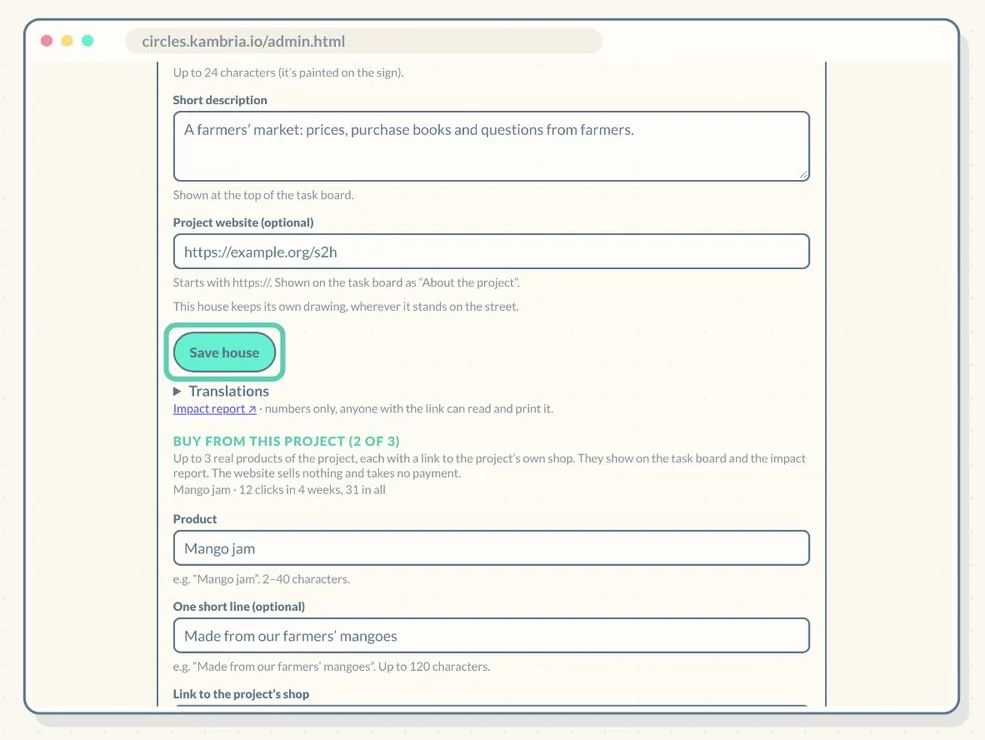
- Change Short description (up to 300 characters, shown at the top of the task board).
- In Project website (optional), paste your project's link starting with https://. It shows on the board as About the project: … ↗.
- For new houses, choose How the house looks on the street: Roof colour, Wall colour, In front, left, In front, right, and Board in front of the door (optional), for example "Read with us on Saturdays".
- Tap Save house. You see Saved ✓.
- Reload the street to see your changes.
Good to know
- Hair Recycling, Spring to Harvest and Inua Mama have their own drawing. The drawing stays with the project wherever its house stands on the street. Their form says This house keeps its own drawing, wherever it stands on the street.
- You can put up to 2 things in front of the door. The board text is up to 40 characters, with no links, emails or phone numbers.
- Only admins switch a house on or off the street.
- Changes show on the street after the page is reloaded.
If something goes wrong
- The house needs a name. / The name is too long (max 24 characters). / The description is too long (max 300 characters).
- The website must start with https:// (for example https://example.org). / The website link is too long (max 200 characters).
- The board text is too long (max 40 characters). / No links, emails or phone numbers on the board, please.
- You don’t have permission to change this house. You can only change houses you look after.
- Houses can’t be loaded right now. Please try again later. / You don’t look after any house yet. Ask an admin.