

Open Circles · Admins
Site settings
Updated 20 Nov 2026
This guide helps admins change the shared settings of the street: the DAO form, the weekly gathering, the beta feedback form and the For organisations form.
Before you start
- Everyone can read these values. Never paste passwords or keys here.
Steps
- Open Settings in the Lane desk. Each card has its own Save button; after saving you see Saved ✓.
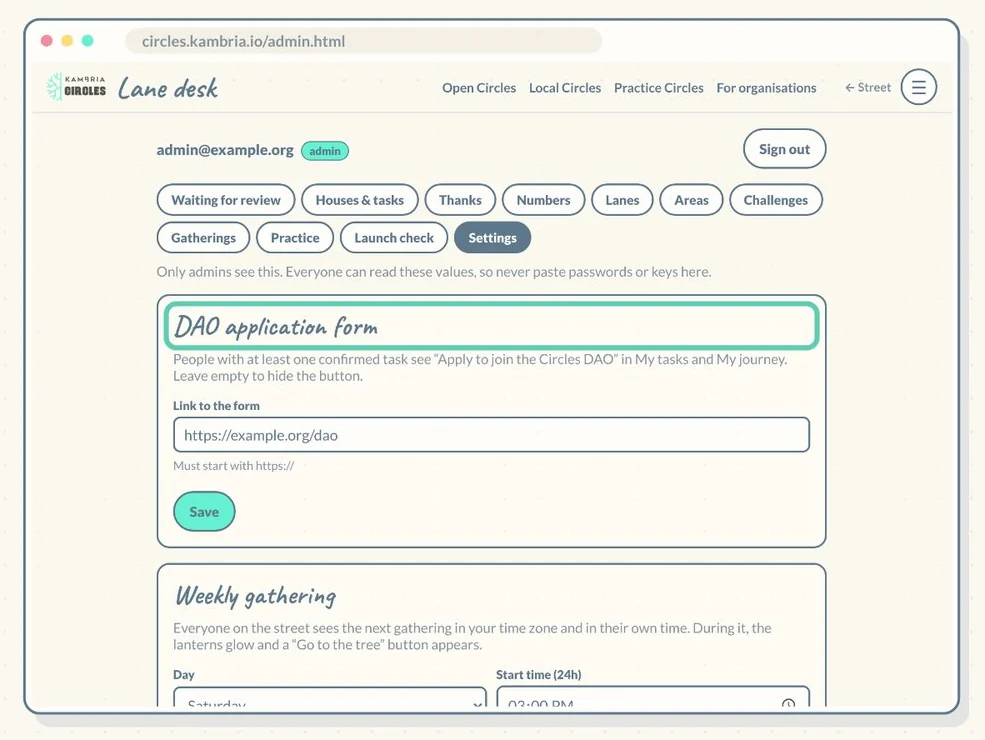
- DAO application form: paste the form link in Link to the form (https://). People with at least one confirmed task then see Apply to join the Circles DAO in My tasks and My journey. Leave it empty to hide the button.
- Weekly gathering: choose the Day, Start time (24h), Time zone and Length (minutes, 15–180). A line shows the result, for example "Next: Fri 14:30 Ho Chi Minh time (your computer: …)" or "With these values the gathering is on right now."
- Beta feedback form: paste a form link in Link to the feedback form. The street and the Lane desk then show Beta · Report a problem. Empty it after the beta to hide the link.
- For organisations page: paste a form link in Link to the form (optional) to make the three buttons on /partners.html (Bring your project, Become a sponsor, Send your team) open your form. Leave it empty and they open an email to circles@kambria.io with a ready subject.
- Reload the street to check the change.
Good to know
- Only admins see Settings.
- The Languages card is explained in "Add a language for translations".
- During the gathering the street shows The weekly gathering is on now with Go to the tree, and the lanterns glow. Guests with reminders turned on get an email within the hour before it starts.
- The Launch check reads the DAO link and the gathering time from here.
If something goes wrong
- The link must start with https:// (no spaces).
- Pick a start time. / Pick a time zone.
- Length must be a whole number of minutes from 15 to 180.
- Settings can’t be loaded right now. Reload the page.